

App showcase and workflow demo
Explore how our Android kanban application eliminates manual errors, speeds up stock checks, and seamlessly connects your warehouse directly to your suppliers.

Step 1: Rapid setup and barcode scanning
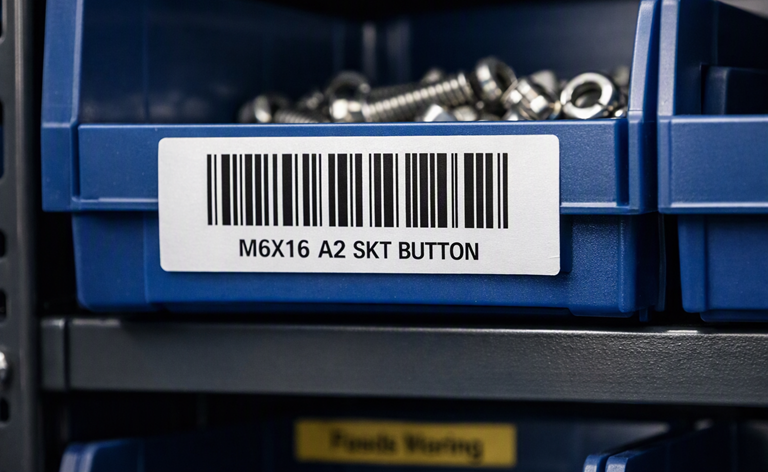
Import your inventory codes in a one-time CSV upload during initial setup. Once loaded, Generate all your Barcodes from with the app. Then team members can walk the floor and scan barcodes directly with their Android devices. No paper clipboards or manual catalog-number cross-referencing required—making stocktaking effortless from day one.


Step 2: Instant quote list generation
As barcodes are captured, the app automatically compiles an intuitive, live screen of required stock items. The kanban-inspired interface calculates needed quantities and compiles complete quote lists on the spot. Human error is completely eliminated, saving hours of tedious back-office verification.
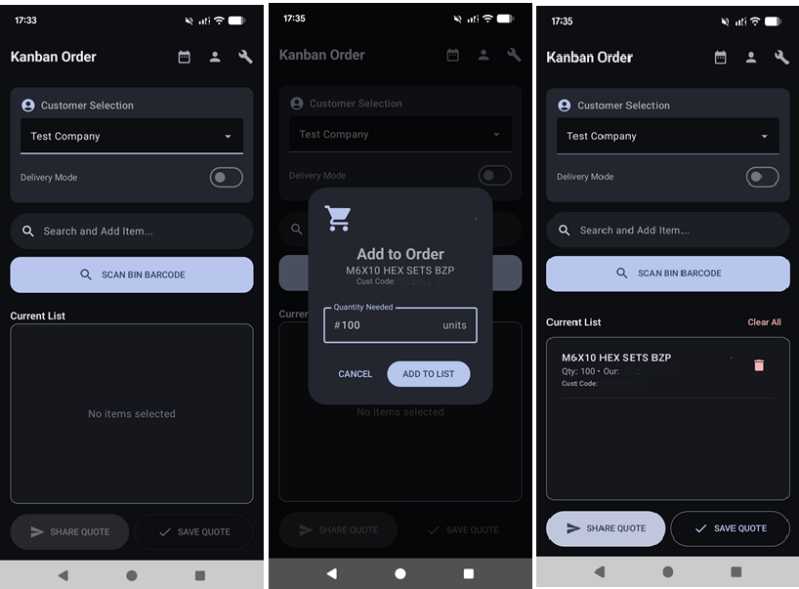

Step 3: Direct supplier communication
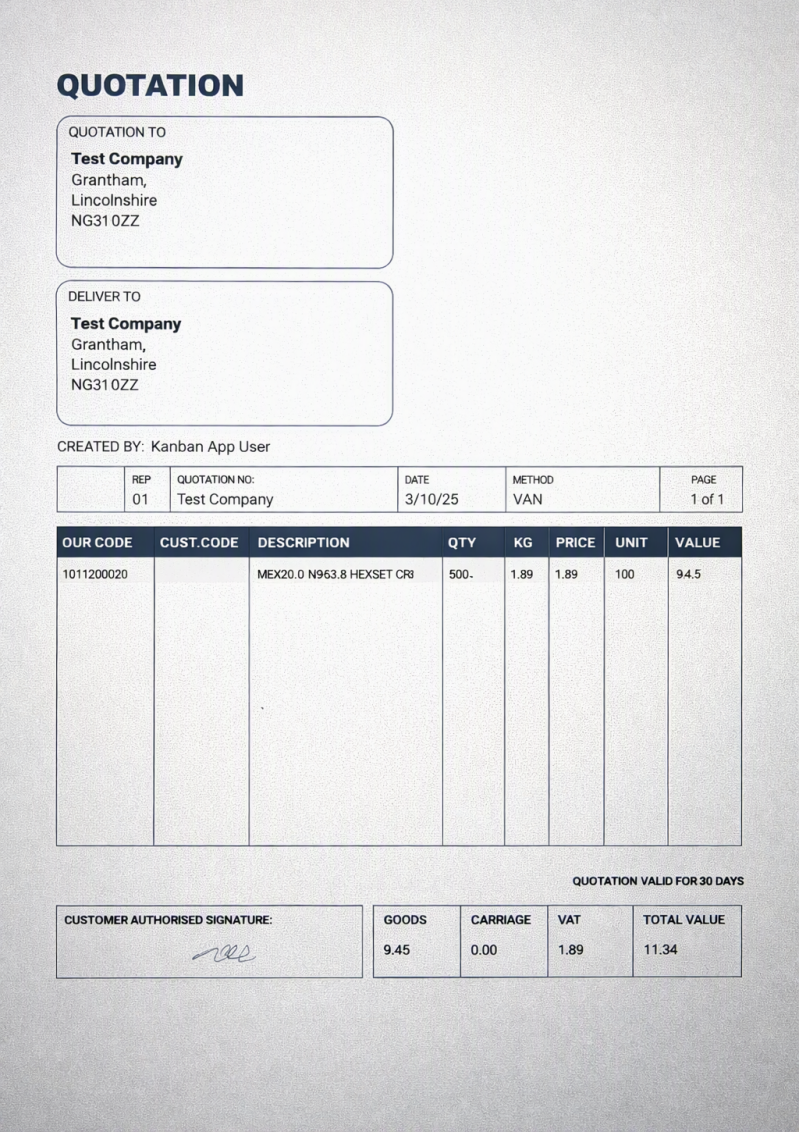
Once your order review is complete, send the quote directly to your supplier via email with a single tap inside the app. By cutting out double-handling and delays, your procurement process runs faster, smoother, and more cost-effectively than ever before.
Installing Kanban.apk
To install the third-party Kanban.apk file on an Android device, first download or copy the APK from a trusted source. Before opening it, go to Settings and allow installations from the relevant source, such as your browser or file manager. This option is commonly found under Security, Privacy, or Install unknown apps, depending on the device. Locate Kanban.apk in your Downloads folder or chosen location, select it, and tap Install. Once installation is complete, open the app and disable the unknown-app installation permission again if it is no longer needed. Only install APK files that you trust, as third-party applications are not verified through the Google Play Store.